Describe
Turn an idea into clear words, details, and instructions.
AI enrichment for young builders
Kids turn their words into games, apps, stories, art, and music while learning to communicate clearly with AI.
In pixelOS, writing is action. Kids describe what they want, build it, test it, then refine their language until the result matches their idea.
Words have visible results
Each word gives a young builder more control over color, light, characters, worlds, sound, and behavior.
Turn an idea into clear words, details, and instructions.
Use those words to create working games, apps, and media.
Play the result and notice where it matches—or misses—the idea.
Choose more precise language and make the creation better.
Students do more than generate content. They use language to design software, direct creative work, solve problems, and make things other people can play, use, see, and hear.
Students describe rules, characters, levels, and behaviors to create playable software they can test, revise, and share.
Explore the game makerKids use precise words for color, material, lighting, composition, and mood to direct character worlds and visual experiments.
Read the drawing guideQuiz apps, flashcards, and study tools help students practice turning a real need into useful, working software.
See how kids build appsKids shape lyrics, instruments, tempo, and mood to create music projects that make the effect of language easy to hear.
Explore music makingStudents create inside a supervised workspace with no chat rooms, no social features, no public sharing, and no stranger contact.
Kids use words to make games, stories, apps, and creative tools. Every project builds practical skills in vocabulary, precise communication, software creation, testing, logic, and revision.
No ads, loot boxes, confusing item purchases, or manipulative kid-facing upsells. Program time stays focused on learning and creation.
pixelos is designed for supervised learning environments, with age-appropriate guardrails, instructor visibility, and parent-visible outcomes.
Give students a safe, structured introduction to AI, software creation, and precise communication—without asking every instructor to become an AI expert.
Run a one-day workshop, multi-week after-school program, summer camp module, school break camp, or in-class enrichment block.
Use pixelos software, writing-centered curriculum, instructor guides, and a describe-build-test-revise learning loop to keep sessions productive.
Students leave with real projects families can understand: games, learning apps, interactive stories, mini sites, and creative portfolios.
Critters stay as part of the pixelos magic, but their job is simple: guide students through creation moments without becoming open-ended companions.
Critters react to build moments with clear moods, so students know what is happening without reading long chat threads.
While projects generate, critters keep the workspace alive so waiting still feels connected to the creative session.
Each critter gives young builders a friendly signal that the workspace is safe, active, and ready for the next idea.
Critters on deck

Stella
Starfish
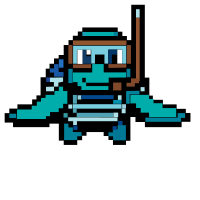
Titus
Sea Turtle

Icarus
Bird
Clear answers for schools, camps, after-school providers, and youth organizations evaluating safe AI enrichment.
Program Call
Send an email address and we will follow up about format, timing, curriculum fit, and the age bands you serve.